Jobs & Work Orders
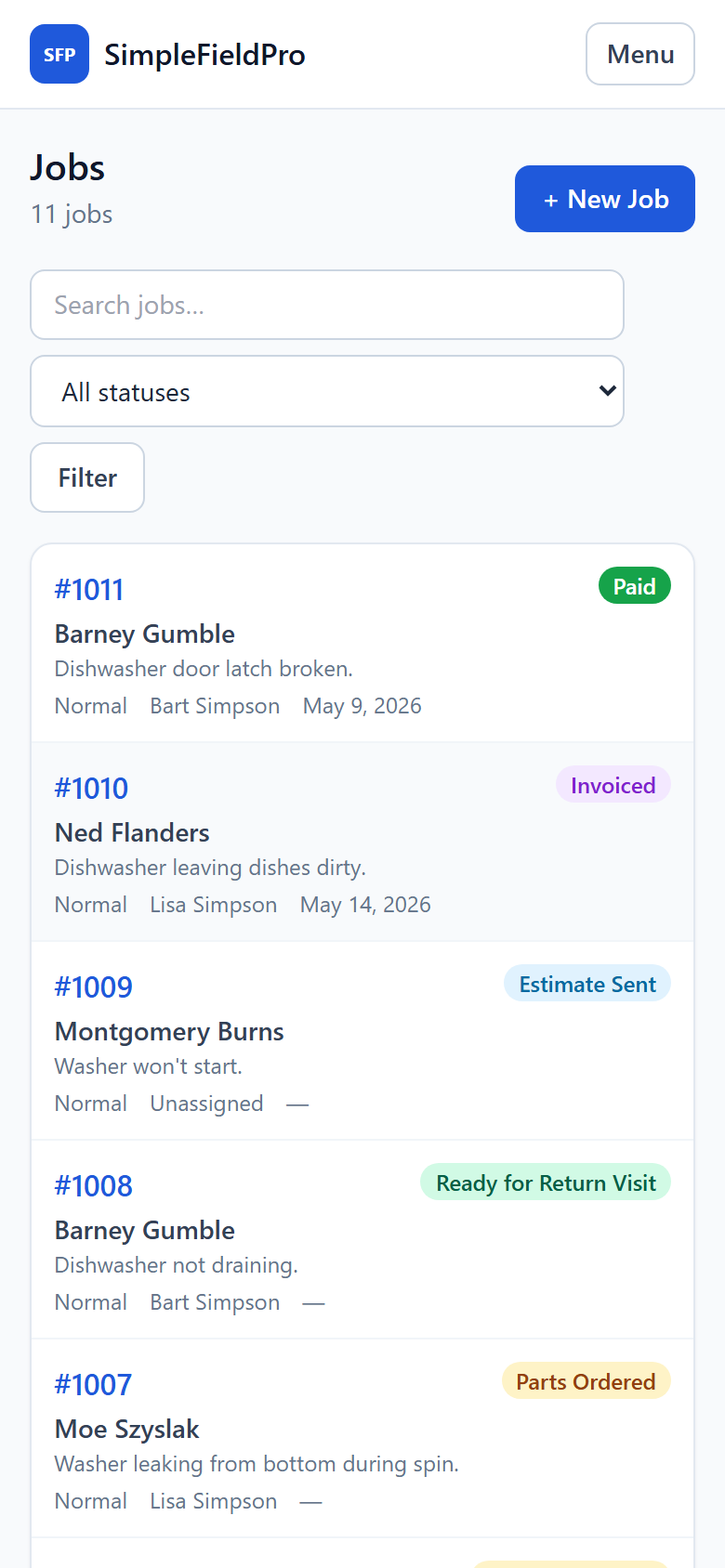
Every job from booked to paid — diagnosis, work performed, photos, and a full activity timeline.
Field service software · built for appliance repair
SimpleFieldPro is the no-nonsense way to schedule jobs, route your techs, track parts, send estimates, and get paid — a modern alternative to Rossware and Walkabout, minus the enterprise weight.
No credit card. Built for owner-operators and crews of 1–10.
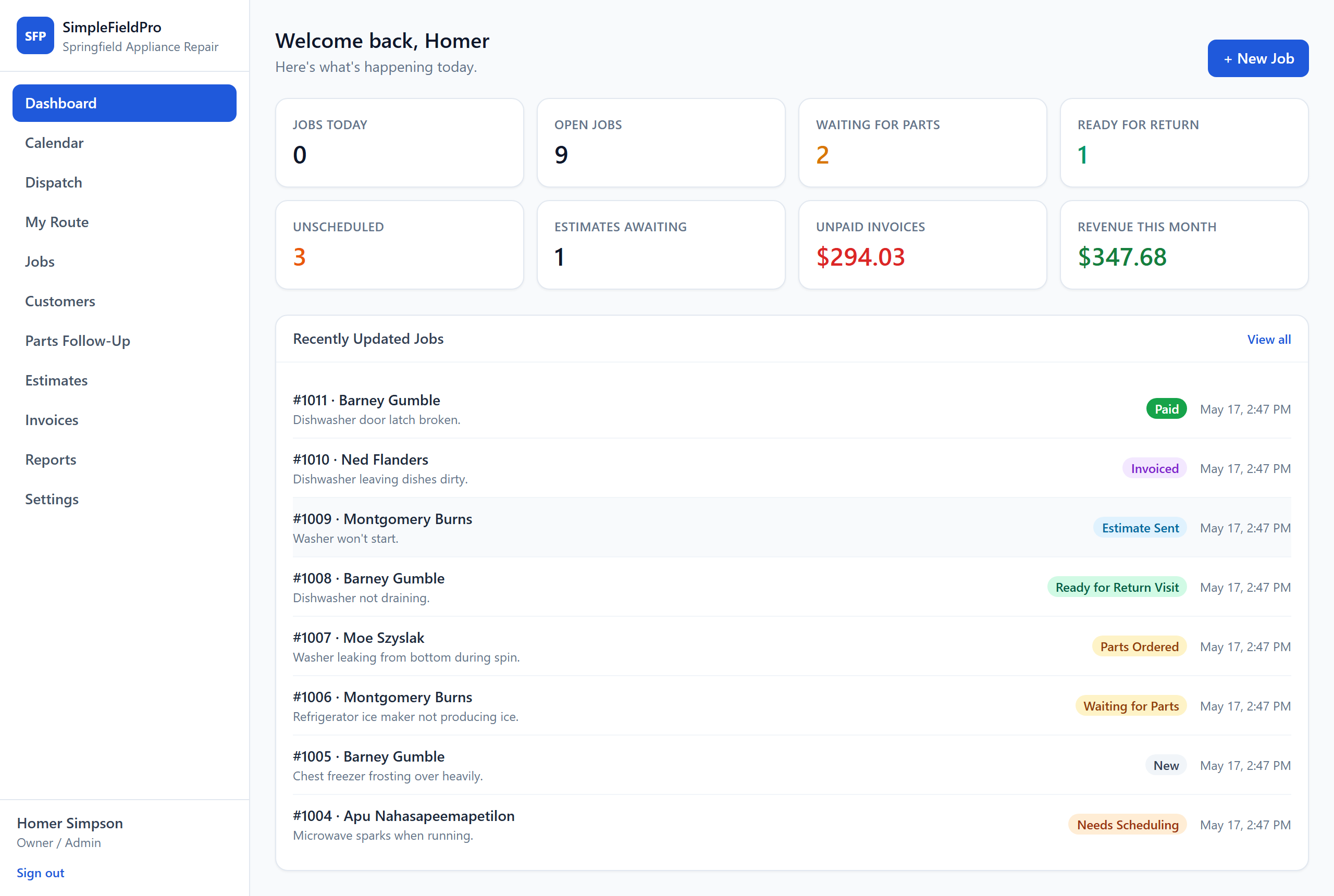
What's inside
Every job from booked to paid — diagnosis, work performed, photos, and a full activity timeline.
See the whole day on one board. What's booked, what's not, and which tech is where.
Each tech gets an ordered route on their phone — tap to call, one tap to navigate.
Jobs waiting on parts never slip. Track every order from placed to arrived to installed.
Build line-item estimates, convert approved ones to invoices, print, and record payment.
Every customer, every appliance, every past repair — together on one page.
A closer look
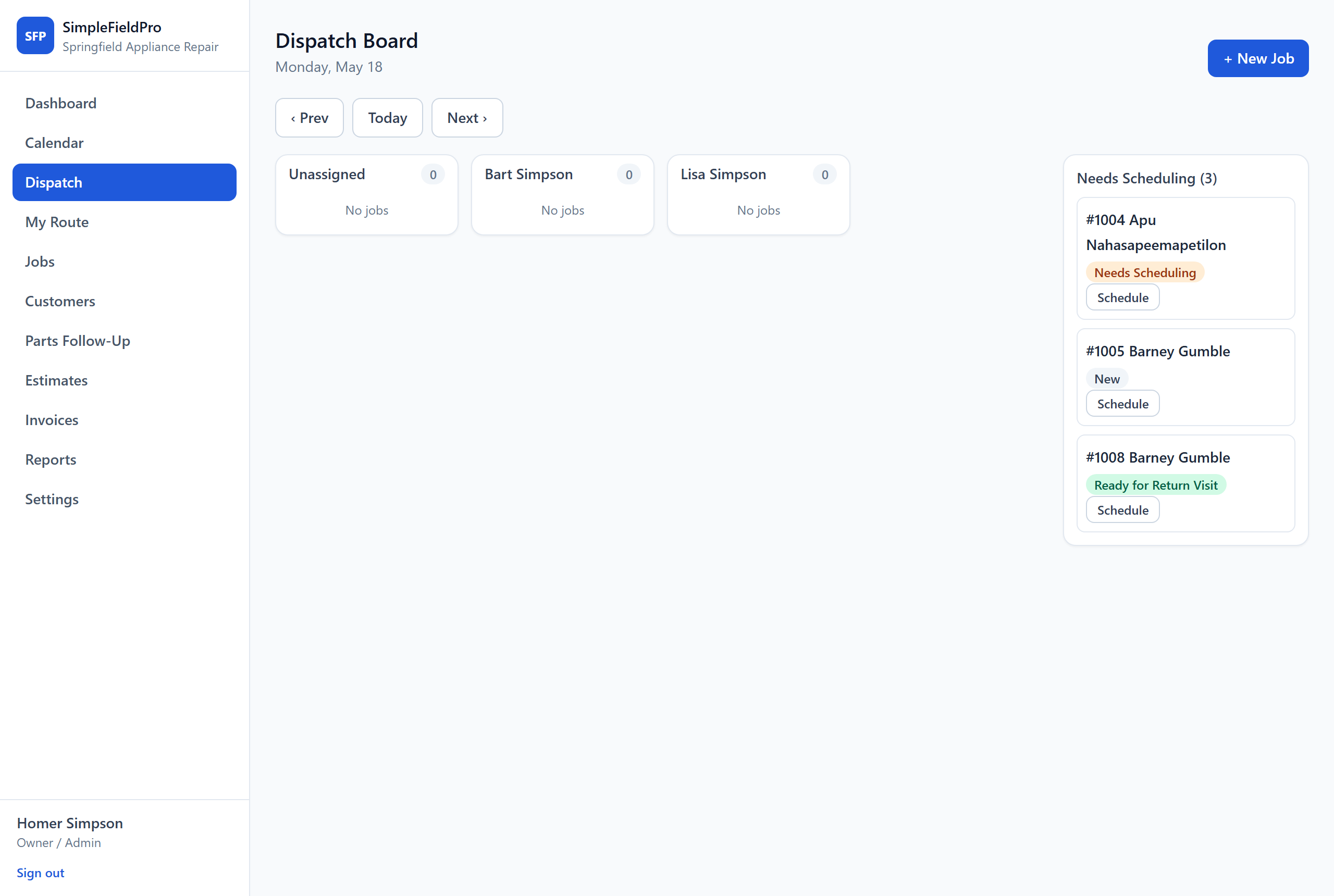
Scheduling & Dispatch
See what's booked, what's not, and which tech is where. A Needs-Scheduling queue keeps unassigned jobs in plain sight, so nothing quietly slips off the calendar.
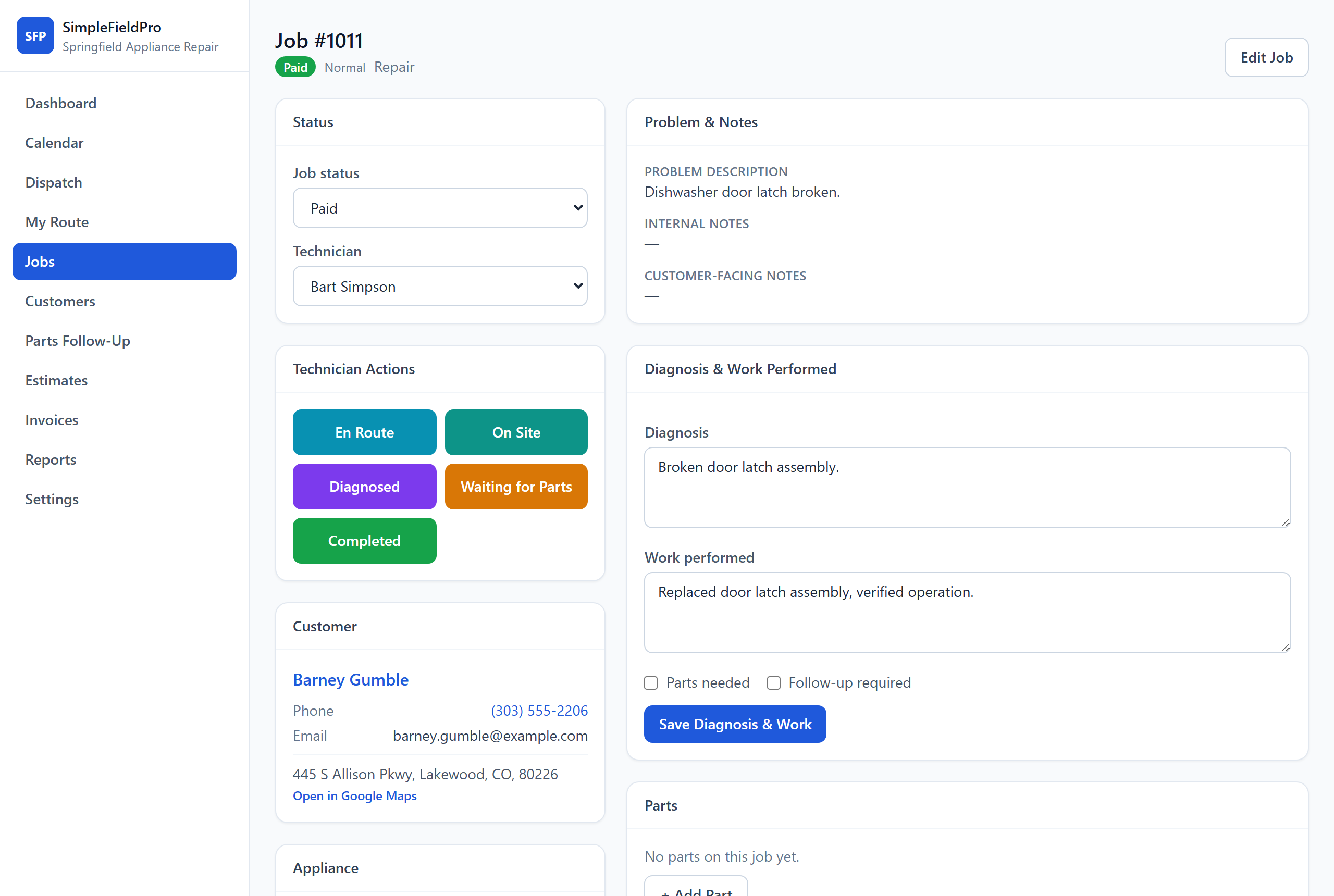
Jobs & Work Orders
Diagnosis, work performed, parts, and a full activity timeline on one page. Big, thumb-friendly status buttons let technicians move a job forward right from the truck.
Customers & History
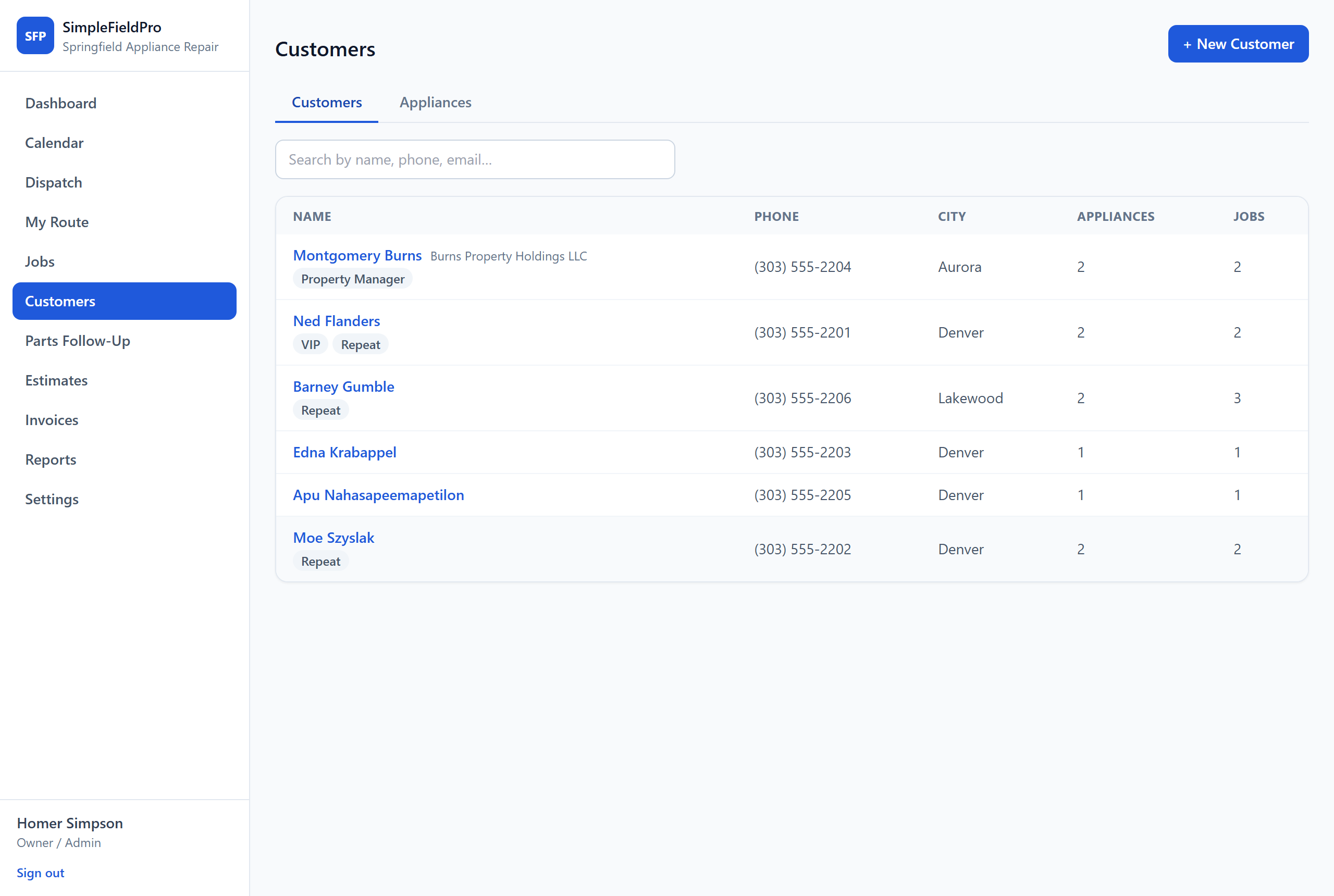
Contact details, tags, and the appliances you've serviced — searchable in one place, with the full repair history a single click away.
Reports
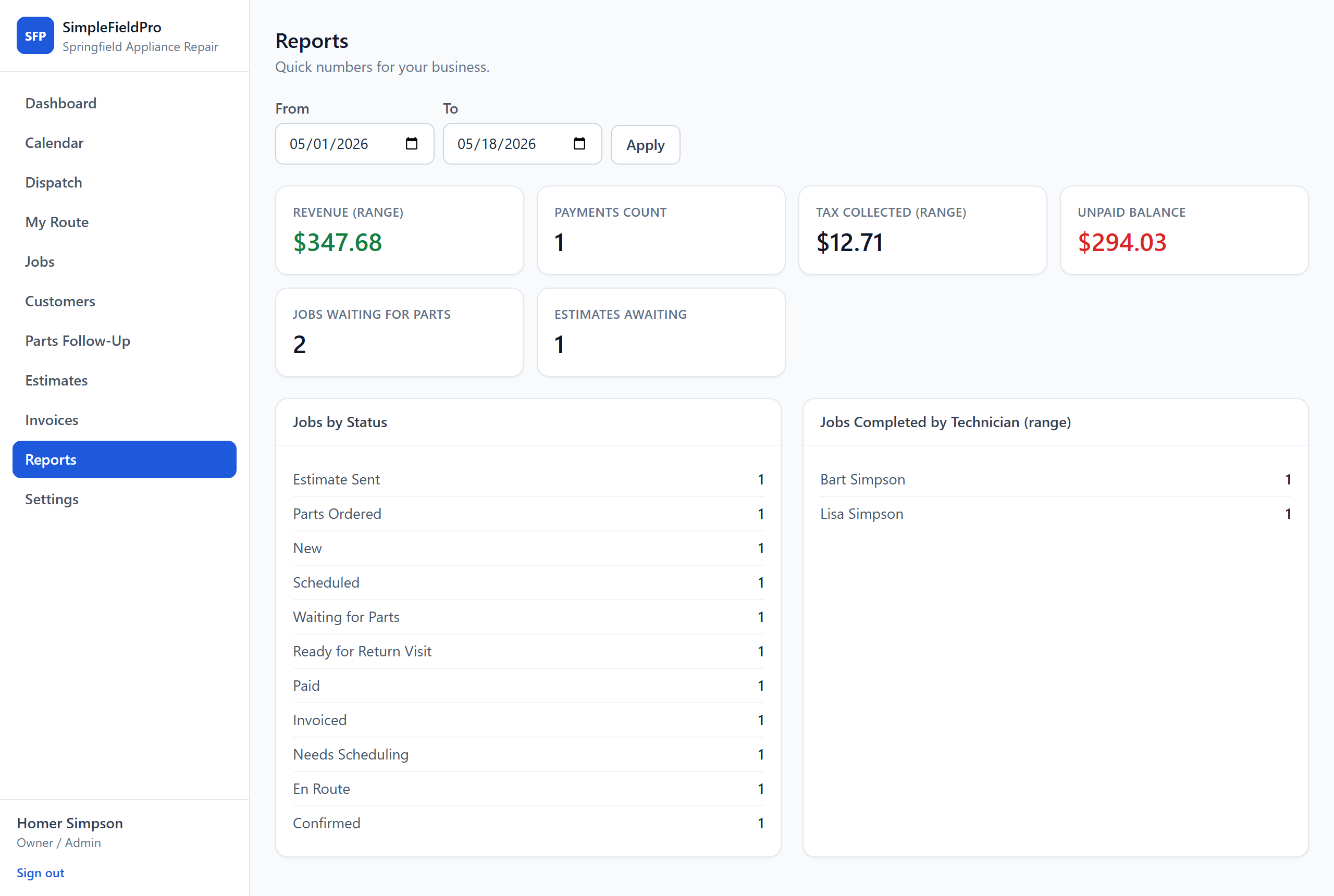
Revenue, unpaid balance, and tax collected for any date range — plus jobs broken down by status and by technician. The numbers the shop actually runs on.
The workflow
Set up your company in about two minutes. Add your crew, book the first job, and run the whole thing from the truck.
Start free